“Excel to HTML” Documentation by “Alessio Corsini” v1.0
“Excel to HTML”
Created: 03/02/2013
By: Alessio
Thank you for purchasing my theme. If you have any questions that are beyond the scope of this help file, please feel free to email via my user page contact form here. Thanks so much!
Table of Contents
First you need know the little rules for the table inside the excel, when you create need to insert in the title the world (Title:) the same in the example and in the column (nColumn), and do not let the white boxes with no data but insert (-) this for sorting - top
A) CSS Files and Structure - top
The file css its 3 for page
First Page Single Table
styleSingleTableBlu.css this is the main where you find the background and style table.
stylesContact.css this is css for style contact form.
stylesFormmaps.css this is css for style the form google maps.
The same for other table, only one css for table multiTable.
B) JavaScript - top
Structure Javascript files.
- jQuery is a Javascript library that greatly reduces the amount of code that you must write.
- Down see the file js more important.
    File tableExcel.js
	This is name file the program read

        xmlhttp.open("GET", "file1_singletable.xlsx", false);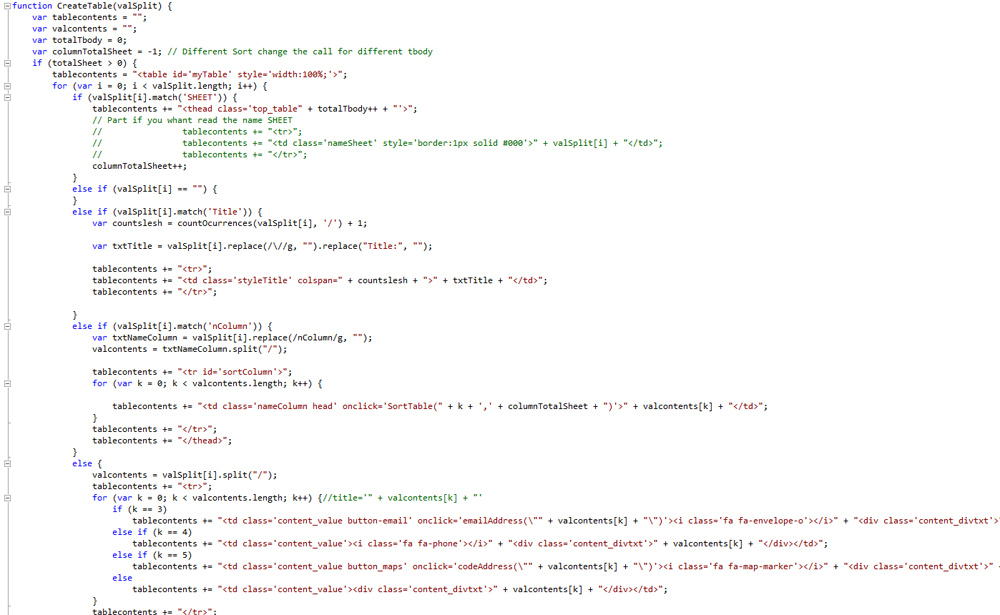
This is script for pannel google maps
    var geocoder;
    var map;
    function initialize() {
        geocoder = new google.maps.Geocoder();
        var latlng = new google.maps.LatLng(-34.397, 150.644);
        var mapOptions = {
            zoom: 8,
            zoomControl: true,
            scaleControl: true,
            center: latlng
        }
        map = new google.maps.Map(document.getElementById('map-canvas'), mapOptions);
    }

function codeAddress(title) {
    var address = title;
    geocoder.geocode({ 'address': address }, function (results, status) {
        if (status == google.maps.GeocoderStatus.OK) {
            map.setCenter(results[0].geometry.location);
            var marker = new google.maps.Marker({
                map: map,
                position: results[0].geometry.location
            });
        } else {
            alert('Geocode was not successful for the following reason: ' + status);
        }
    });
    $('#modalmaps').reveal({ // The item which will be opened with reveal
        animation: 'fade',                   // fade, fadeAndPop, none
        animationspeed: 600,                       // how fast animtions are
        closeonbackgroundclick: true,              // if you click background will modal close?
        dismissmodalclass: 'close'    // the class of a button or element that will close an open modal
    });
    return false;
}
google.maps.event.addDomListener(window, 'load', initialize);
Contact Form
Thi is the script for open pagination:
 $("#myTable").tablePagination({
                firstArrow: (new Image()).src = "images/first.png",
                prevArrow: (new Image()).src = "images/prev.png",
                lastArrow: (new Image()).src = "images/last.png",
                nextArrow: (new Image()).src = "images/next.png",
                rowsPerPage: 5,
                currPage: 1,
                optionsForRows: [5, 10, 25, 50, 100],
                ignoreRows: [],
                topNav: false
        });
Thi is the script for open the pannel Contact Form:
function emailAddress(email_address) {
              document.getElementById("email").value = email_address.toString();
              $('#modal').reveal({ // The item which will be opened with reveal
                  animation: 'fade',                   // fade, fadeAndPop, none
                  animationspeed: 600,                       // how fast animtions are
                  closeonbackgroundclick: true,              // if you click background will modal close?
                  dismissmodalclass: 'close'    // the class of a button or element that will close an open modal
              });
              return false;
          }
Version Table + sorting + pagination + search
Function for call the sorting and pager
         $(function () {

            // initialize custom pager script BEFORE initializing tablesorter/tablesorter pager
            // custom pager looks like this:
            // 1 | 2 … 5 | 6 | 7 … 99 | 100
            //   _       _   _        _     adjacentSpacer
            //       _           _          distanceSpacer
            // _____               ________ ends (2 default)
            //         _________            aroundCurrent (1 default)

            var $table = $('table'),
                $pager = $('.pager');

            $.tablesorter.customPagerControls({
                table: $table,                   // point at correct table (string or jQuery object)
                pager: $pager,                   // pager wrapper (string or jQuery object)
                pageSize: '.left a',                // container for page sizes
                currentPage: '.right a',               // container for page selectors
                ends: 2,                        // number of pages to show of either end
                aroundCurrent: 1,                        // number of pages surrounding the current page
                link: '{page}', // page element; use {page} to include the page number
                currentClass: 'current',                // current page class name
                adjacentSpacer: '  ',                    // spacer for page numbers next to each other
                distanceSpacer: ' \u2026 ',               // spacer for page numbers away from each other (ellipsis …)
                addKeyboard: true                      // add left/right keyboard arrows to change current page
            });

            // initialize tablesorter & pager
            $table
                .tablesorter({
                    theme: 'blue',
                    widgets: ['zebra', 'columns', 'filter']
                })
                .tablesorterPager({
                    // target the pager markup - see the HTML block below
                    container: $pager,
                    size: 10,
                    output: 'showing: {startRow} to {endRow} ({totalRows})'
                });

        });
Option widget
zebra: Array [ "even", "odd" ] zebra widget: When the zebra striping widget is initialized, it automatically applied the default class names of "even" and "odd".
columns: Array [ "primary", "secondary", "tertiary" ] Columns widget: When the column styling widget is initialized, it automatically applied the default class names of "primary" for the primary sort, "secondary" for the next sort, "tertiary" for the next sort, and so on (add more as needed)
Once again, thank you so much for purchasing this theme. As I said at the beginning, I'd be glad to help you if you have any questions relating to this theme. No guarantees, but I'll do my best to assist. If you have a more general question relating to the themes on ThemeForest, you might consider visiting the forums and asking your question in the "Item Discussion" section.
Corsaro