Landx
Responsive Bootstrap Multi-Purpose Landing Page
- created: 05/31/2014
- latest update: 05/31/2014
- by: mizan078@gmail.com
- email: mizan078@gmail.com
Structure
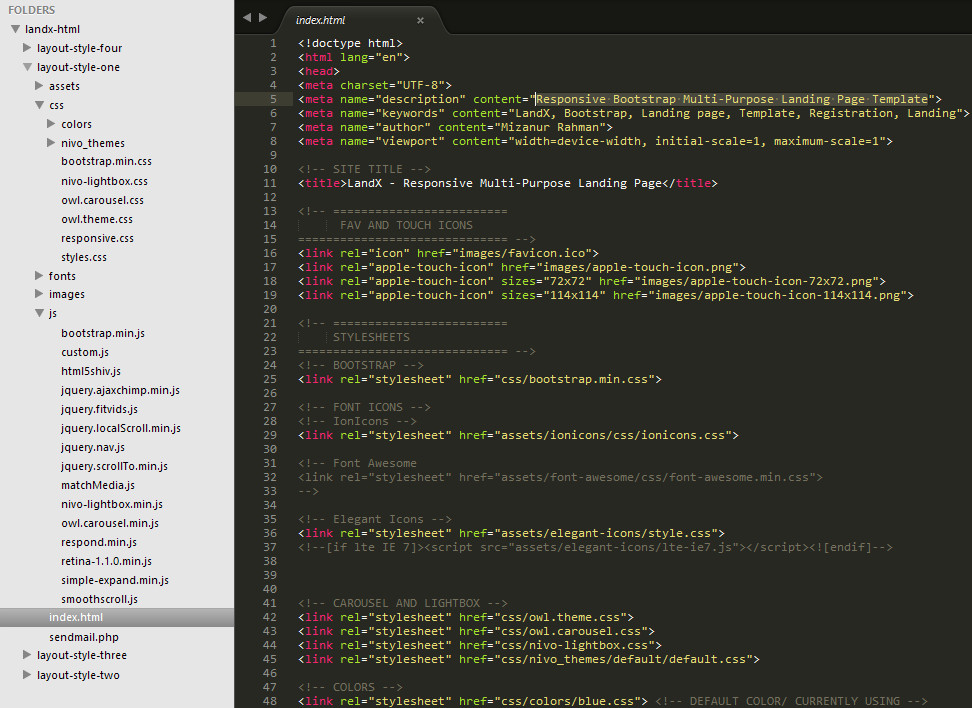
All files and folder organized nicely.
Change Color
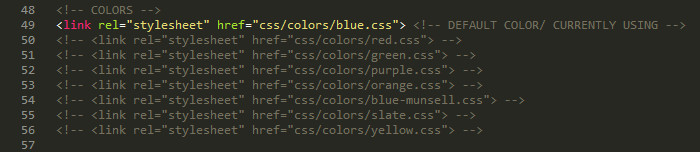
Check <head> part of the index.html. You will find all colors link available. blue color is active. So if you want to use any other color just replace the "blue" with that color name. or you can remove the comment make other color active.
<!-- COLORS -->

<link rel="stylesheet" href="css/colors/blue.css"> <!-- DEFAULT COLOR/ CURRENTLY USING -->

<!-- <link rel="stylesheet" href="css/colors/red.css"> -->

<!-- <link rel="stylesheet" href="css/colors/green.css"> -->

<!-- <link rel="stylesheet" href="css/colors/purple.css"> -->

<!-- <link rel="stylesheet" href="css/colors/orange.css"> -->

<!-- <link rel="stylesheet" href="css/colors/blue-munsell.css"> -->

<!-- <link rel="stylesheet" href="css/colors/slate.css"> -->

<!-- <link rel="stylesheet" href="css/colors/yellow.css"> -->
Screenshot:
Top Bar Navigation
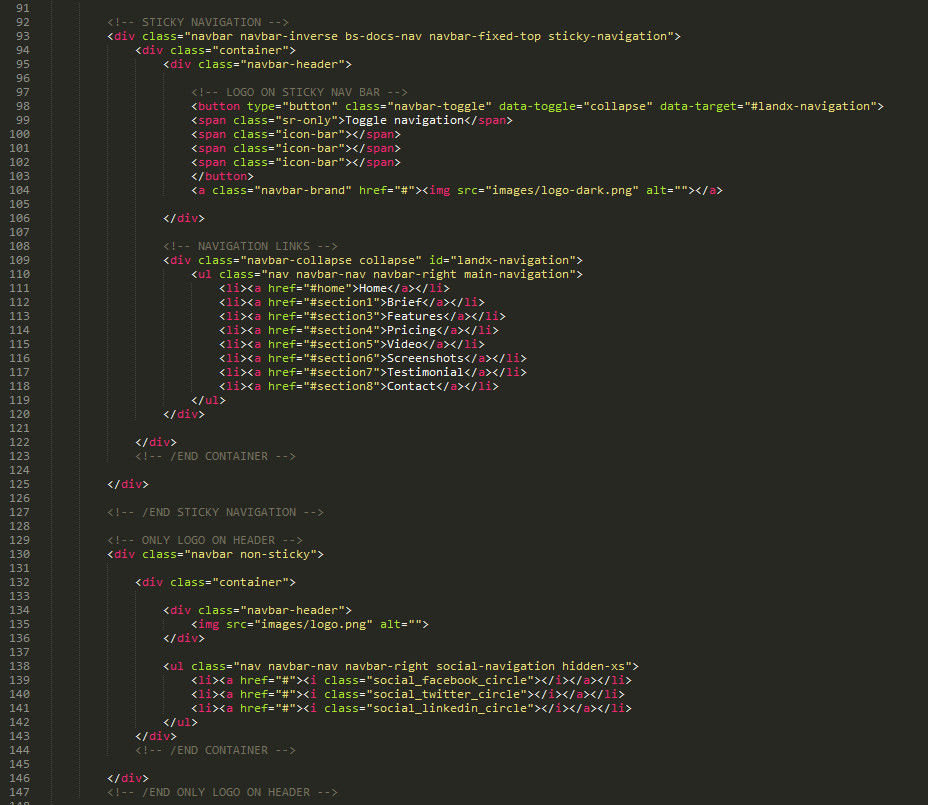
Sticky header with navigation and non-sticky header available.
External Link on Sticky navigation
If you want to add external link on sticky navigtaion. simply just add .external class on the link.
<li><a href="http://google.com" class="external">External Link</a></li>
Change Logo
It's very easy to change your logo. Just take a look at the below screenshot. Change the image link to your own logo.
Background Images
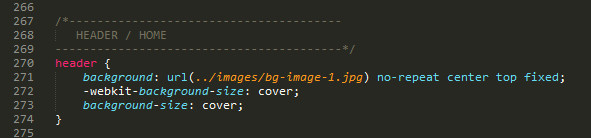
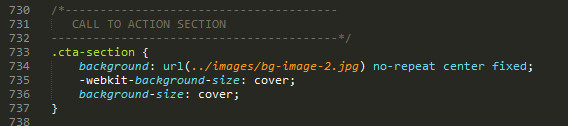
2 Images used in 2 sections. Header and Call to Action section at the end.
Find this 2 sections in styles.css
Header BG:
Call To Action section BG:
Icons
I used 360 font icons set from Elegantthemes, 500+ from ionicons
Example:
<span class="icon_camera_alt"></span>
Check All Elegant Icons Classes
Check 500+ Ionicons Classes
Video
I used FitVids.js for responsive video. Please check the plugin github page to learn everything about the plugin.
Screenshots
Just change the image links to your desired screenshots url. That's all.
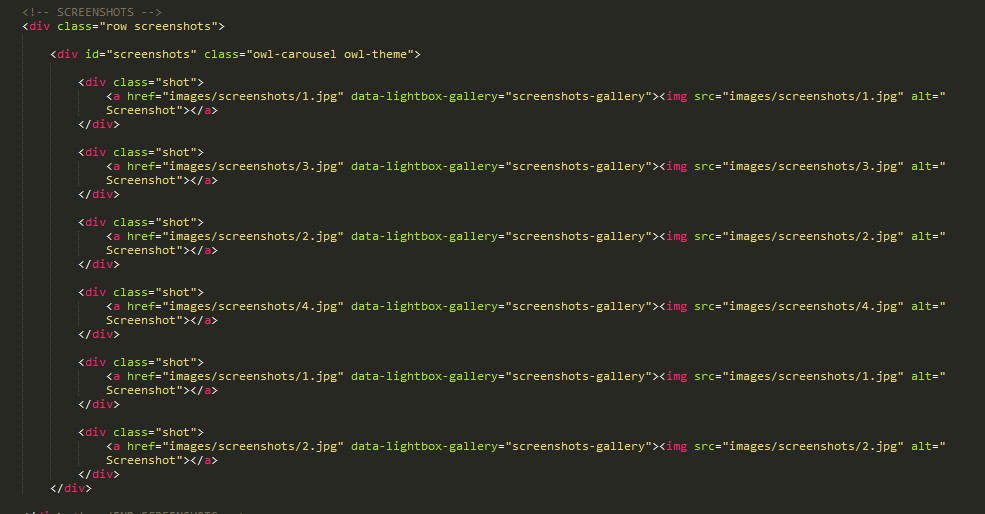
I used nivo lightbox and owl carousel in this section. If you wanna learn more about their options and features. Please read doc: Nivo Lightbox - Owl Carousel
Contact Form
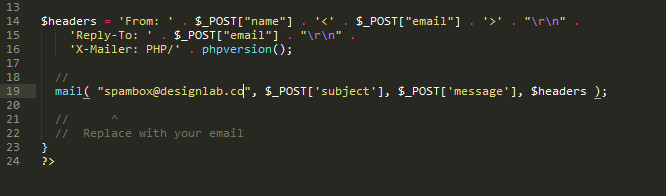
Contact form will use php to send emails. So just open sendmail.php file. Change the current email spambox@designlab.co to your email address. Your form is ready.
Subscription Form
Default: Mailchimp
Current active subscribe form will save emails to mail chimp list.
How to connect mail chimp list?
Open custom.js and find following script. Just replace that mailchimp form action url with your mailchimp list url
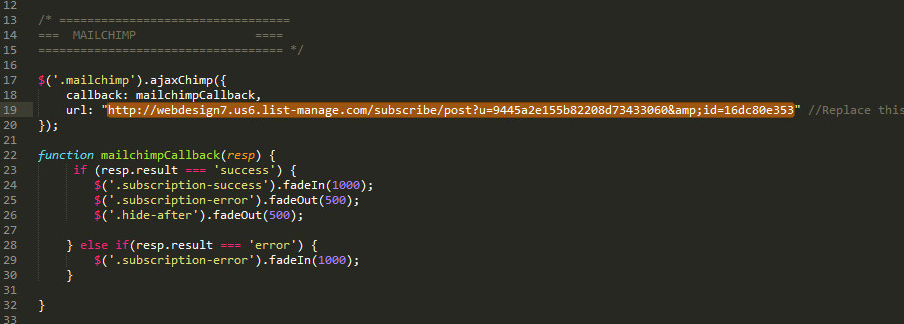
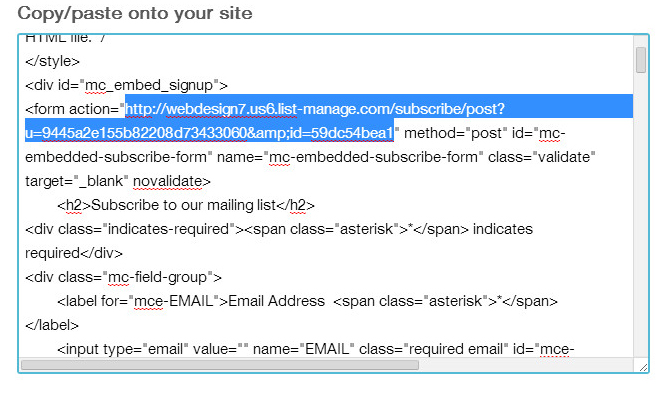
How to find mailchimp form action URL?
Just go to your mailchimp account. Then create a new list or go to your existing list. Then Signup forms. Select Embedded forms. You will find form action URL in this page.
Support and Credits
If you need any help. Feel free to contact me anytime. I will reply in 24 hours.
Send a mail from my Themeforest Profile
Credits:
Images from unsplash.com
Screenshots from http://themeforest.net/user/themebucket